How To Download Pes Football Game In Android: The Complete Desi Guide 🚀
Welcome, fellow football fanatics! If you're searching for the ultimate guide on downloading PES Football (now known as eFootball™) on your Android device, you've hit the back of the net. This isn't just another generic tutorial; this is a deep-dive, jargon-busting, step-by-step playbook crafted specifically for the Indian gaming community. We'll navigate through official stores, APK labyrinths, data management, and pro tips that most guides gloss over. So, grab your chai, settle in, and let's get your mobile stadium ready for kick-off! ⚽
🔥 Quick Tip: The game is FREE on the Google Play Store. But if you're facing regional restrictions or device compatibility issues, the APK route is your plan B. Always prioritize safety and download from trusted sources.
1. Official Route: Google Play Store (The Safest Bet)
For most users in India, the Google Play Store is the go-to destination. Search for "eFootball™" (yes, the name changed from PES) and hit install. The base game is free, with optional in-app purchases for coins, players, and other items. However, many users report "device not compatible" errors or find that the game isn't available in their region's Play Store. This is common for older Android versions or specific device models.
1.1. System Requirements Checklist ✅
Before you proceed, ensure your Android device meets these specs for a smooth gameplay experience:
- Android Version: 7.0 (Nougat) or higher (Android 11+ recommended).
- RAM: Minimum 2GB (4GB+ for lag-free matches).
- Storage: At least 4.5GB of free space for the core game and data.
- Processor: Snapdragon 600 series or equivalent Kirin/Mediatek chipset.
- Internet: Stable Wi-Fi or 4G/5G for downloading data packs and online matches.
2. The APK & OBB Method: When The Play Store Fails
If the official store doesn't work for you, the APK (Android Package Kit) + OBB (Opaque Binary Blob) method is your savior. This is the most common workaround for Indian gamers. Here’s a detailed, foolproof breakdown.
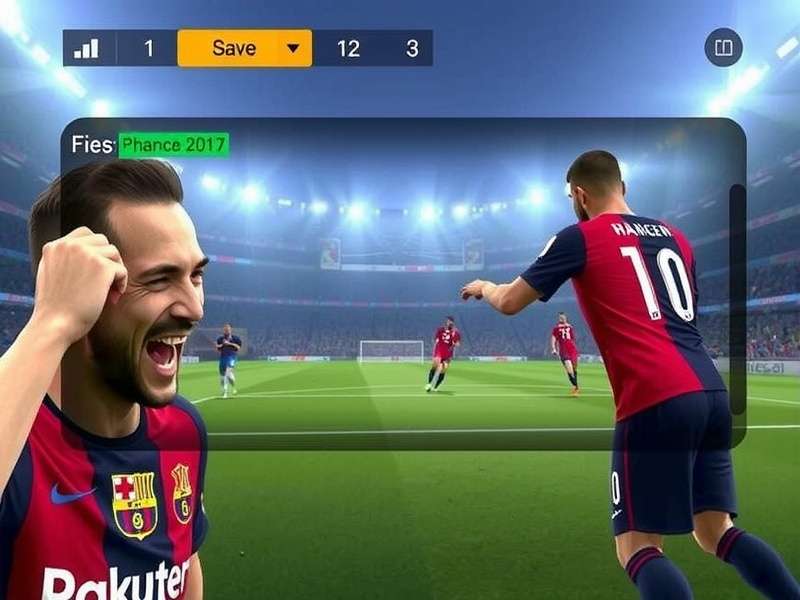
Understanding the APK and OBB file structure is crucial for a successful manual install.
2.1. Step-by-Step Installation Process
- Enable Unknown Sources: Go to Settings > Security > Unknown Sources (or Install Unknown Apps in newer Android) and enable it for your browser or file manager.
- Download the APK: Source a trusted APK file. Websites like APKPure or Uptodown are generally reliable. Always check the version and upload date. The file size should be around 100-150 MB for the APK.
- Download the OBB Data: This is the crucial, large data file (around 2-3 GB). It contains the game's graphics, audio, and core assets. Ensure you get the correct OBB version matching your APK.
- Install the APK: Locate the downloaded APK file using your file manager and tap to install. Do not open the game yet.
-
Place the OBB Folder: Using a file manager, navigate to
Internal Storage/Android/obb/. Create a folder namedcom.konami.eFootball(exact name is critical). Extract and place the OBB file inside this folder. - Launch and Download In-Game Data: Open the game. It will likely download additional updates (1-2 GB). Connect to a stable Wi-Fi network for this step.
⚠️ Security Note: Downloading APKs from third-party sites carries risks. Always use a reputable antivirus app to scan files before installing. Never download from random pop-up ads or untrusted Telegram channels.
3. Exclusive Insights: Data Management & Storage Hacks
One major pain point for Indian users with limited storage or data plans is the game's hefty size. Here are some exclusive data-saving strategies gathered from top players:
- Selective Data Packs: Within the game's settings, you can choose to download only specific commentary languages (skip all except English) and standard-resolution graphics to save 1-2 GB.
- Clear Cache Wisely: Regularly clear the game's cache from Android settings if you're low on space, but note this will delete temporary files, not your save data.
- Use an SD Card: If your device supports it, adoptable storage or manually moving the OBB folder to the SD card can free up internal memory. This process varies by manufacturer.
Speaking of other versions, if you're also interested in the PC experience, check out our detailed guide on Pes Football 2025 Pc. Meanwhile, fans of the classic feel might want to explore Pes Football 2021 Download for a nostalgic trip.
4. Troubleshooting Common "Challenges" (Aka Problems)
Let's tackle the typical issues faced by desi gamers head-on:
4.1. "App Not Installed" Error
This usually means a corrupted APK download or insufficient storage. Solution: Re-download the APK, ensure you have at least 5GB free, and disable Google Play Protect temporarily during installation.
4.2. Black Screen on Launch
99% of the time, this is an incorrect OBB placement. Double-check the folder path and name. The OBB file should be a single .obb file inside the com.konami.eFootball folder, not within another subfolder.
4.3. Game Lagging or Stuttering
Adjust in-game settings: Set Graphics Quality to Standard, Frame Rate to 60fps (if supported), and disable Stadium Crowd. Also, close all background apps.
5. Beyond Download: Optimizing Your PES Experience
Downloading is just the first whistle. To truly master the game, delve into its mechanics. The Pro Evolution of this series from its classic roots to the free-to-play eFootball model is a fascinating journey. For those looking forward to the future, rumors about Pes Football Life 26 Torrent are already generating buzz in the community, though we always advocate for official channels.
Moreover, if you're planning to get the latest edition, our guide on Download Pes Football 2025 covers all platforms. Console players shouldn't feel left out; we have info on Pes Football 2022 Free Download Ps4 as well. And for a completely free experience on current gen, explore Pes Football Life 2025 Free.
🎯 Final Verdict: Downloading PES Football on Android in India is straightforward if you follow the right steps. The Google Play Store is the primary recommendation. Use the APK/OBB method as a reliable fallback, but exercise caution. With this guide, you're equipped not just to install the game, but to optimize it for your device and data plan. Now, get out there and score some stunning goals!
This guide is a living document, constantly updated with the latest info. The world of mobile football gaming evolves fast, and so does our content. For everything from basic downloads to advanced tactical tweaks, keep this page bookmarked. Game on! 📲⚽
Disclaimer: This guide is for educational purposes. We encourage supporting developers by downloading games through official stores whenever possible. All trademarks belong to their respective owners.
Share Your Experience & Ask Questions
Stuck on a step? Found a better method? Share your thoughts with the community of Indian PES players.